Tuesday, April 5, 2011

Virus via email attachment ZIP ... bude.exe

I got a "different" kind of email from what I "thought" was  DHL-USA.
It said it was to tracking information for a package sent to me.
Being that I do use DHL  ... I thought nothing of it. 
But, it was strange that it was in a ZIP file   (many business owners don't know how to handle a ZIP).
Now, the RED flag  should have been ... there was a  exe file inside ... bude.exe
What was interesing was that it installed itself at this path

AppData\Roaming\Ixatce\bude.exe
and was Hidden on the  files Running List in  Win7 PRO.

Well, I  knew it was trouble when it tried to go outside my  Firewall to the Internet.

Short story  ...  I reported the virus   ...  my AntiVirus on a Quick scan did not detect it!
After I reported the  issue ... a UPdate was done ... and when I scanned it "then" caught it.

It seems to look for  User info and Passwords ... and probably  sends it back.
I noticed my  IE  had no UserNames  stored.       So, I would have to re-type everything.
What is interesting is ...  I did not notice it was running ... and  a scan did not catch it at first.
Started getting  "more"  SPAM  after I  went thru a site  asking survey questions in order to get a  Free or Discounted iPad  ... I know , I know ... what a mistake. :)  ... I should know better.
Beware,
Hope this helps,
Ross Hamamura
The Tourist of Light

Tuesday, March 29, 2011

Composition

Loved this post on composition by Alain Briot LINK:
http://www.luminous-landscape.com/columns/composition_top_15.shtml

15 Thoughts on Composition

by Alain Briot

It is one of those things you read, that expresses better what you feel.
and helps you clarify for yourself what you are doing.
* I never believed that a Great photograph ever really represented what is real.
It's how you saw it  ... Show that.

Also loved this statement about composition:
"transforming the natural chaos into an organized image.

– It involves creating order out of chaos"

Ross Hamamura
"The Tourist of Light"
http://www.rdhphoto.net/


FROM THE ARTICAL:
"Imagination is more important than knowledge.

Knowledge is limited. Imagination encircles the world."
Albert Einstein

1 - Composition is the strongest way of seeing
– This is Edward Weston's definition of composition. – It is still my favorite definition of composition.


2 - Composition is not just the placement of objects in the frame

– Composition also involves using color, contrast and light .

– Composition includes post processing in the raw converter and in Photoshop.


3 - The goal of composition is to express your vision and your emotional response to the scene

– The goal of Fine Art Composition is not to create a documentary representation of the scene.

– Nor is it to create a photograph that is only technically perfect .

– The goal is to create an image that is superior, both expressively and technically.


4 - What the camera captures is objective. What the artist sees and feels is subjective

– Take stock of your emotional response to the scene in front of you.

– Record those emotions in writing or in audio.

– Use light, color, contrast, composition and cropping to reproduce these emotions visually.

– Work on this both in the field and in the studio.


5 - Think first about light

– A photograph is only as good as the light you use.

– The subject is less important than the light that illuminates this subject.

– The best subject in bad light does not make for a good photograph.


6 - Use foreground-background relationships

– Find a great foreground and place it in front of a great background.

– Make sure your foreground is large enough to play an important role in the composition.


7 - Contrast opposites elements

– Human beings think and see in terms of opposites .

– Therefore this is something everyone can relate to.

Opposite examples include:

- Static / moving

- Young / old

- Large / small

- Organic / man made


8 - Composing a photograph is not about redoing what someone else has done before

– If tempted to redo an image you have seen, just buy the postcard, the book or the poster.

– You cannot be someone else, therefore you cannot take the same photographs as someone else.

– You will waste time trying to do so.

– Instead, start to create your own images right away.


9 - Being inspired by and redoing someone else's work are two different things

– You can certainly be inspired by the work of other photographers.

– We have all been inspired by the work of other artists and photographers.

– This is an inherent aspect of the artistic process.


10 - No amount of technology can make up for a lack of inspiration

– Cameras and other gears are technical.

– Inspiration is artistic.

– The two exist on different planes.

– Achieving a Personal style in Fine Art means working as an artist not just as a technician.


11 - People, not cameras, compose photographs

– Certainly, a camera is a necessity.

– However, your camera cannot compose a photograph anymore than your car can drive itself.


12 - "Correct" is whatever works when the goal is to create fine art

– There is no such thing as Other right thing in art.

– What is Art ? is a question to which there are many answers.

– We therefore have to answer this question for ourselves.

– We are also bound to disagree with others because fine art is a polarized activity.


13 - Straight fine art prints are a myth

– All fine art prints are a modification of the image recorded by the camera.

– The composition of the image you started in the field is continued in the studio .

– This is done through image optimization because colors, contrast, borders, image format, etc. are all part of composition.


14 - The "right" color balance is the strongest way of seeing color

– There is no such thing as the "right" color balance in Fine Art.

– This is because color is one of the ways you express your emotional response to the scene.

– For this reason, the "right" color balance for a specific image will differ from one photographer to the next.


15 - The finest compositions are those you never saw until you created them

– Recreating a composition you saw before is easy.

– Creating a brand new composition, one you have never seen before, is difficult.

– This is because doing so requires transforming the natural chaos into an organized image.

– It involves creating order out of chaos, as Elliott Porter said.


AGAIN this is from:

http://www.luminous-landscape.com/columns/composition_top_15.shtml

15 Thoughts on Composition
by Alain Briot

Wednesday, March 16, 2011

Alan Wong Pork Chops

Tonight I was blown away by Alan Wong's  Pork Chop.
Ok, it's: 
Apple Chutney and Macadamia Nut Crusted Apple Curry Glazed Kurobuta "Berkshire" Pork Chop, with Kabocha Pumpkin and Mascarpone Cheese Puree  ... $30.00

Sorry I messed up the plating with a shrimp I was tasting ... "Baked Shrimp" , Red Onion Butter, Local Saimin Noodles, and Garnishes.   It was very good.   ... $26.00

But, the Pork Chop was a WOW !  ... and it was a pretty good size too. :)
Yes, I ordered rice with it.

I also had the Poke & Sashimi  "starter"  ...  it was probably the BEST  Sashimi  I have had in years!
Thick slices ... and really, really Fresh.   ... $16.00


This  past  4 days has been crazy good eating!  :)
Probably had something from many of  the TOP restaurants.

and had a pretty good fish Lunch at the Convention center.
Sorry, this pic was "before" the secret sauce was put on lol.


and then there was this bun "thingy" ...


And then this shot.
What's the big deal about this? you ask
Shot with the new Nikon 24mm f1.4  @  f1.4   ... that's all   :)


* and then there was  Food from these Resturants at the Honolulu Festival  GALA
It was great food!  Seriously.

3660 on the Rise


BLT

The Cheesecake Factory

La Palme D’or Patisserie

Mariposa at Neiman Marcus

Morimoto Waikiki

Nobu Waikiki

The Original Roy’s Hawaii Kai

Ruth’s Chris Steak House

Shokudo
 
 
some pics of the food shown here:
http://www.honolulumagazine.com/Honolulu-Magazine/Party-Pictures/Honolulu-Festival-and-Gala/


Ross Hamamura
The Tourist of Light
http://www.rdhphoto.net/

Sunday, February 13, 2011

WSSM 2011 Senior Frogs Party, A Different Valentines Day :)

For some strange reason it was a long shooting day yesterday, Valentines Day. (or should I say, Valentines day "Party" day)

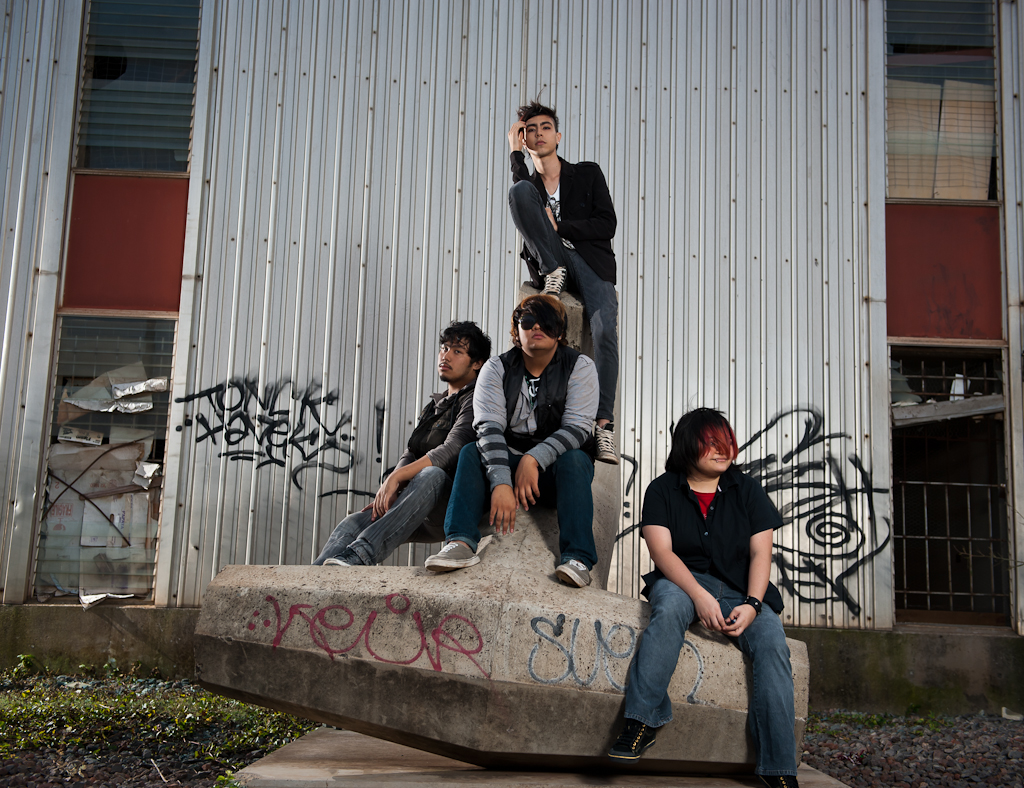
Shooting a young band at three locations ... and on the way to the third location ... they (the Band) gets busted for a Safety Check violation. lol
Isn't it a little "cliche"  when a band drives around in a  "piece of $hit" car?
So, we arrive at the last location that "had" nice light at sunset.  I really wanted to shoot this natural light (the sun had dropped and the street lights was already on).

Well,  what is interesting about my last shot was ... I did it at iso6400 , handheld at 1/30, 80mm, f2.8  ... I had lighting (my portable strobist stuff), so I did not have to shoot Natural light/high ISO.  But, I had made up my mind I was going to do this all ambiant ... and here it is.
Only in LR , shot RAW  ... NO  Noise reduction at all  ... so any grain in the shot, is what is there on the D700 at iso6400.
What was nice is ... I probably would have "added" grain , after the shot  ... but instead ,  I did it with iso6400, no NR at all.

Here is the shot:


Here's the bust:
Note:  notice the officer "Texting"  while his partner is  checking the reg and papers :) ... "Seriously?", really?.     Wonder if he was checking out the bands Facebook page?    maybe he was Friend-ing them. :)


Here's a shot from that location  lol:
talking right at the spot of the bust ...


After this shoot.  It was on to a Party by WSSM (Women's Surf Style Magazine)  at Senor Frogs in Waikiki.
"Valentines Day" themed Party.
It's a tough job ... but, someone had to do it.  lol

* Now, imagine  the RAP song "Black and Yellow"  blasting from the speakers ... standing room only ... and then you got the feeling. :)


It was a long day ... and that party was going past 2am  ... but  FUN.
Like I said before,   It's a tough job,  and someone had to do it  :)

Ross Hamamura
The Tourist of Light
http://www.rdhphoto.net/

Friday, February 11, 2011

How to program a Button to do Handheld HDR, on a Nikon D700/D3

Nikon D700/D3, How to program a Button to do Handheld HDR

I am not sure why it was so hard to find some instructions on how to do this.
fyi I even emailed Nikon, and on there Service site they told me it could not be done (they probably did not understand what I wanted to do)


* FIRST,  I need to say ... basically all you are doing is assigning  BKT to the FUNC button.

Here is a short List of Menu changes to make it simple:


* b2) 1 step
* e6) Flash/speed
* e7)  MTR-Under-Over
* f6) Preview button press: BKT
   f6) Preview + command dials: BKT
*Set release to Ch
* Press INFO/Preview button and turn dial to 5F
* Set exposure in A mode  , I also like to set the ISO
* Focus
* Hold Release button down until it stops firing.

* If more than five shots are required, press the FUNC button to change 5 to 9.


NOW the LONG verson:
imho,  programs like  PS CS5 combined with LR v3.3 is making it easier to create HDR images.

So, now what you need is your camera (in my case a Nikon D700) to be able to fire off  at least three exposures ... EV0, EV-2, EV+2  ,  a Normal exposure, a 2 stop under , and a 2 stop over file.
and to do it as Quickly and easily as possible.  To eliminate as much movement while doing the shot.

The idea of doing it Handheld is to press one button and have it fire off the shots as quickly as possible.

Here's how it is done:

1)  what I like to do is make sure to set the ISO value ... and make sure at "that ISO value" the -2 EV shot is not tooo slow of a shutter and is something I can handhold. 

* I normally will use Aperture Priority and have the  "Shutter value"  change on the bracket.

So, selecting a ISO value is finding that balance of  Noise and Shutter handhold ability.

2)  Depending on how much time I have to set up the shot ...  might  lock my  AF so the AF point does not change.   but, most of the time I do not.  imho, it's easy enough to make sure my AF point is over a subject that is big enough and will not move. :)

OK,  now on setting up the D700/D3

3)  Set ... Menu - e5  Auto Bracketing set - AE only
Basically set up to bracket exposure

4)  Now to assign the Bracketing to the FUNC button ... on the D700 it would be the bottom button up front on the right.
Set .... Menu - f5   Assign FUNC. button - set "both" LINES * top FUNC. button press to BKT Bracketing burst  .... and the * bottom  FUNC. button + dials to BKT Auto bracketing

5)  I "also" like to set f1 change  to Both  ... with allows me to turn the shutter switch to the right to both turn on the LCD light and to show INFO on the LCD.
OR you can simply look at the top LCD.

6)  So, if you  look at the Top LCD , AND then press the   FUNC button .. you can roll the Back wheel to set How many Frames you will shoot on a Bracket (set to 5),  and use the Front wheel to set the  EV value (set to 1) , unfortunately Nikon only lets you  bracket at 1 stop increments.
To end up with at least one file at EV-2 and one file EV+2  ... you actually need 5 shots at 1 EV increments.

So, set the Bracket at 5 frames at 1 EV increments ... this will give you  "EV0" , EV-1 , "EV-2" , EV+1 , "EV+2"  ...   but, imho you need only the three files  EV0, EV-2, EV+2  (I delete the other two)

7)  this last step is not necessary ,  BUT if you "don't"  want to have to count off  5 shots , and have the camera STOP after 5 shots for you ... change the top/left dial to "S"  Single shot.

Even at this "S" Single Shot setting , the Nikon D700 will fire off 5 frames at the Highest Rate possible ... when you hold down the shutter.

side note:
Someone discovered that if you set the e5 Auto bracketing set to "flash only" , and then have the PopUP flash DOWN, you will fire them "even" faster , which is aprox.  6 frames per second , without a grip.  Yes, this is faster than the 5fps that the D700 is supposed to do "without" a grip.  Nice!   a FW bug that works in your favor.

NOW  ... if you followed me so far ...  :)

ALL you need to do now  ... when you are walking around  ... and want to fire off 5 frames Bracketed:

* Half press to lock your AF , press & hold the FUNC button  , then full shutter =  The D700 will then fire off 5 frames at full speed and stop , Bracketed.

Now how coool is that !


p.s. After you are DONE shooting HDR,  Don't forget to change back ... FUNC button 5 f (5 frames) to 0 ( zero frames )  on  BKT.
Press the FUNC button and Back Wheel  roll to 0.

....................................................................................
What if you want to  HDR bracket properly on a Tripod.
Well,  you can add these functions ...  (I ADD it to the MY Menu so I can find it fast).

* d9  Exposure Delay mode  ...  which delays the shutter until 1 second after the mirror is raised.
(just remember to turn this OFF after your HDR shot on a tripod)
* Interval timer shooting  ... found on the shooting menu  ...   You can set this a 1 sec  ..  and 1x5 shots ( 1 set , 5 shots )  ...  so, it will basically fire after you take your hand off it.


Hope this helps someone,
Ross Hamamura    http://www.rdhphoto.net/
The Tourist of Light

Saturday, January 8, 2011

Updated version of the Black Rapid DR-1 Double Strap

I owned an older Black Rapid DR-1 Double Strap (before it was stolen) had been using it for over a year.

"HAD" to order another one, period.

It's simply the BEST, if you have to carry two bodys. I use two Nikon D700 (w/grip) , 24-70 f2.8, 70-200 f2.8 VRII , and sb900. anyone that walks around at an Event or Wedding with this gear knows how heavy it can get.  
Problem solved with this strap.  It just Works!
Comfort and Shooting ease.  With PRO durability.  This product is made to last.

B&H  listing $129.95:
http://www.bhphotovideo.com/c/product/645448-REG/Black_Rapid_RSD_1BB_RS_DR_1_Double_Strap.html

YES! this DR-1 comes with the New "Solid"  D ring  FastenR3 !
(I just got one in the mail from B&H)
imho, it is a Huge change. It allows you to "easily" Clip and Un-Clip the bodys with ONE HAND (because the D-ring is a solid piece, and does not move (it was harder to do with the old D-ring). And the Rubber compression washer is thinner and harder = Much better!  (the old washer was spongy and thick = junk)

And I think the clip part is slightly better too. I prefer to keep it not locked, for easy/fast Un-Clip.
* the screw section seems smoother to operate,
* the clip harder to mistakenly Un-Clip on it's own when it is not locked (a good feature for me)... I think slightly deeper curve/hook.

The Solid D-ring also helps with a fast Clip on.
B&H  LINK to just the NEW D-ring clip  , FastenR3 for $ 13.95  ... if you want to update your OLD  DR-1 , or any Black Rapid strap , really. :)
http://www.bhphotovideo.com/c/product/684526-REG/Black_Rapid_FR_3.html


Because of the great reviews, I also bought the Joey J2 Pocket $ 22.00 , so I can keep my Moble Phone close to my ear. and it's nice to be able to keep my phone in a higher pocket and not in my shorts when doing a beach shoot. :) fyi: it fits the New My touch 4G moble phone. and it seems to have a place in front to clip on a pen, so you can have a note pad too.
http://www.bhphotovideo.com/c/product/664879-REG/Black_Rapid_RMJ_2BB_JOEY_J2_Pocket_Medium.html


Simply put, this Black Rapid Double Strap is worth every penny :)

That's why I did not hesitate to buy another.

HERE's a  BackRapid  "Capture Life"  Video  ...   I LOVE my Double strap !
This really show's how it works in action,  it brought  tears to my eyes LOL
http://www.youtube.com/user/rstrapvideos#p/a/u/1/bamR-_v6r-w

A no brainer purchase.

Ross D. Hamamura
http://www.rdhphoto.net/
The   Tourist of Light

Monday, January 3, 2011

DNG, why I use vs RAW NEF

Every few weeks you always see a thread about "WHY DNG" ?

First it's Adobe :)
My most used programs are Lightroom v3.3 and Photoshop CS5 for images ... both Adobe.  duh :)

I have been using DNG  from the first Lightroom Beta  ... that is how much I trust Adobe to come thru on this format.
and imho,  Adobe has come thru with support and development of DNG over the years.

Recently, I have not been keeping up with Adobe development on DNG.
But, here is what I just discovered today.

* DNG  now carries within it  pretty much all the Edit information you need in the one DNG file.  imho, when you are working across a network , with multiple computers , Hard Disks , file formats ... the last thing you want is more than one file for a single RAW file .. we don't need those "stink-ing" sidecar files, that you get with a NEF in LR :).  DNG consolidates everything into one file for me.
And you can inbed the original RAW into the DNG if you want.  I do not.  I do not even keep the old NEF.
Never have, Never will....  and in all the years since the Lightroom Beta I have never had a single problem with a DNG.

My big gripe "Before"  v3.3 of Lightroom (which I have expressed on the Adobe forum) ... was it did not have the "Crop"  information from Lightroom in the DNG.  and working with Lightroom across a Network was not always , what you would expect.

* But, today I was on my laptop ...  I went across my WiFi Office network , in Lightroom v3.3 ... imported my DNG files that was partially worked on ...
and AFTER the import  ... Lightroom brought up  ALL my previous edits ,  Star ratings ...   and CROPs (something it did not do before, "crops")   ... 
Not sure what version of Lightroom or DNG this changed , but  this was a  happy discovery today.

At this point ,  I am not sure if it is better Networking support in Lightroom v3.3 that is doing it ... or the DNG  information that is being stored.  
My guess is that it's in the DNG  ... because that is all I did.   Import the DNG files.

Another cool discovery is ... I can keep my edits local ... OR  save my edits to the original DNG file "across the network".

and on the "other side"  I can  Keep my Local Edits , OR  "READ" the original file  (if I have made changes to it).

Sounds complicated ,   it's not  ...   and if you work with files across a Network and do Edits on more than one computer ... OR have an assistant working on "your" files on a network  ... you will know what I am talking about.

So,  I was happy with DNG before  ... now I am even more confident in my decision to  convert my RAW Nikon files to DNG and delete the original NEF.

***  Other notes:

On a D700  a  DNG file is actually Smaller than a NEF
NEF = 15.3
DNG = 14.0 Med JPG inbed
DNG = 14.9 Large JPG inbed

When I shot OLY ... the differance was larger. the  ORF OLY raw was "much" larger than a DNG.

* Interesting info on RAW and DNG  (you can go down to the DNG section)
This artical is from 2009  ... things might have changed a little, but still an interesting read.
http://www.libraw.org/articles/2-ways-to-nowhere.html

*  on Keeping NEF , just to be safe:
or NEF's, keeping something you never use:

This is interesting ... because I have never felt the need to get any information from a NEF that I did not have in a DNG.

and then, if the image is really important to me ... I would have probably worked it in a PSD file. So, I also have another copy there too.

When I really think about it ... how many times have you gone back on a RAW file.
(yes, when LR went to v3.3  I have reconverted some of my old DNG D700 files shot at very high ISO , for a cleaner  noise processing from the Newer version of Lightroom ... but really anything at or below iso1600 was so clean I did not bother lol  ....  that being said,  a D700 DNG processed in LRv3.3 has a 1-Stop improvement of Noise processing vs LR v2 (Adobe rebuilt the processing, and gives you a choice to go with the OLD process or NEW , always go with the NEW) , and the sliders are new and improved , and gives you more control ... that's almost like "upgrading" the already great Nikon FF sensor)

and do you really believe the DIFFERANCE between a DNG file and NEF will be a deal breaker???  Really?

Some client will walk up to you and say ... Hmmm , did you process that RAW from a NEF or DNG? , it looks like you lost some bits of data.

imho, I think it is enough that I am "already" saving my RAW data at 14-bits. and going out to PS CS5 in 16-bit ProPhoto color space (native to LR)
any bits of data that I lose from a NEF to DNG conversion ... I probably have not missed , and certainly did not notice.
Note: I also trust that Adobe will continue to improve this.  Why?  guess what group of  photographers use Lightroom and DNG ...  PRO's,  and they are a vocal bunch :). 
So, in general ... I feel pretty safe.

Any BIG changes that I "really" notice ... happens AFTER the RAW conversion to DNG ... in LR or CS5. Maybe that's just me.

* For me, IF, you are saving your RAW files at "16-bit" , you probably plan on doing some CHANGES ... and "those changes" are what is important to you.

and you ("Me" actually) might not even be concerned with what is "real" or perfectly real (but, it helps, ONLY as a starting point).
a side note: If you "only" show what is real. Are you not "limiting" what you can can express?   limiting what you show as your vision, your feelings of what was there?   and is "that" being creative?

For me, I  just need to get it in there FAST , with a FAST workflow ... and have it Malleable , so you can shape it to your own vision.

I am also a "Expose To The Right" (ETTR)  RAW shooter ... so, my OOC (Out Of Camera) JPGs is not what I end up with, just to begin with.

Hope this helps someone,
Ross Hamamura 
Tourist of Light  :)
http://www.rdhphoto.net/

Tuesday, December 21, 2010

Kelia Moniz @ North Shore

Have not shot surf in a very long time.  So, when the opportunity to go out with the Eyes of Hawaii Photography Club, to shoot and hang with (PRO Surf Photographer, Surfer mag) Tom Servais.  Well, I had to wake up early to make the drive to Pipeline (the meet up spot).

Early morning the surf report was basically 1-2  ... was not expecting much  ... so, my plan was to shoot something on the beach or close to shore with my  Nikon 70-200mm f2.8 , and just have fun.
Knowing full well the last time I was at Pipeline I had a 600mm f2.8 and a 1.4 TC (imho, what you need)

So, here we are not expecting much in the low surf  ...  and then, Tom recognizes Kelia Moniz out right in front of us.  Well ....    that changed things LOL   (as I kicked myself for not having something longer, lens wise)

My go to sports lens , the 70-200 f2.8 VRII  "Rocked it"  as usual (normally, I am pretty close to the action ... did I say "All Access Pass?" lol) ... So today, anything out in the Surf had to be heavily croped.   Or I had to shoot something up close to shore.   Which Kelia came thru for me. She was always natural, beautiful and genuinely happy to be out there in the surf (you could feel it).

She made everyone's day (with a camera), at that location.  :)

Normally I shoot f5.6  @600mm  (and maybe 900 with a TC)  ... today I was at f4 , because of Kelia (girl).   And unfortunately, only 200mm ... So, I had to make the most of it.  (that means a lot of standing at the shoreline lol.

More images in a gallery here:
(I also think the images look better in this gallery, in Slide Show mode= more res)
http://www.rdhphoto.net/Other/Kelia-Moniz-plus-North-Shore/15160159_FKMxC#1133819528_osvbi


a few of the Eyes of Hawaii Photography Club , Kelia Moniz and Tom Servias on the board in front.

Hope you enjoy this ...
Ross Hamamura / Tourist of Light
http://www.rdhphoto.net/